

Team engagements
Make it easy for your team to coordinate likes, comments, and reposts on published posts.
Team engagements make it easy for your team to like, comment, and repost a scheduled post from their connected accounts after it publishes. Choose the engagement actions and team members for each post, then coordinate their timing to support the post’s initial visibility.
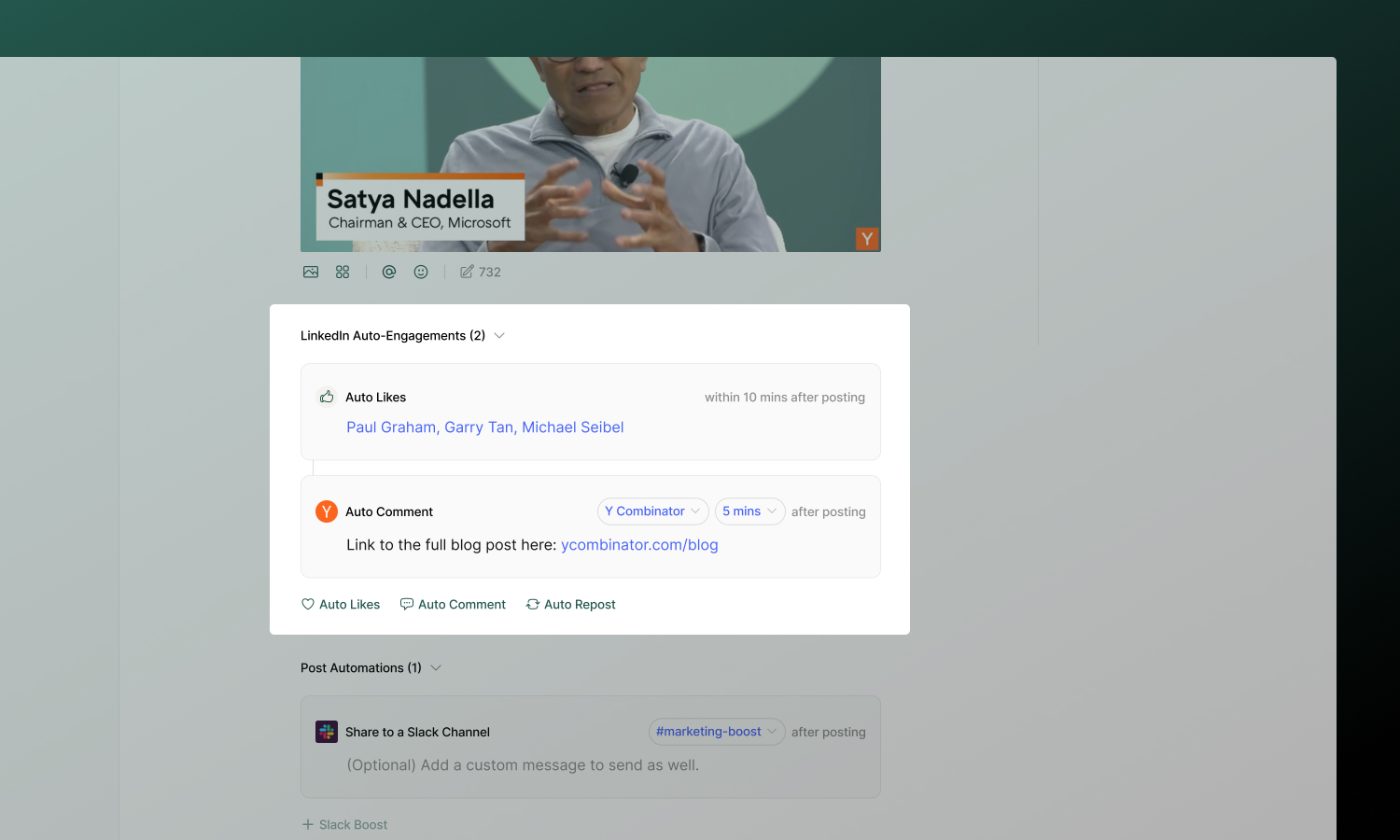
Engagement types
| Type | What it does | Timing |
|---|---|---|
| Team Likes | Make it easy for selected connected profiles to like the post | Configurable window (10 minutes to 24 hours) |
| Team Comment | Help a selected team member add a first comment (great for CTAs, hashtags, or links) | Configurable delay (immediate to 24 hours) |
| Team Repost | Help a selected team member reshare from a connected account | Configurable delay (immediate to 24 hours) |
Platform support
Not all platforms support every engagement type due to API limitations:
| Platform | Team Likes | Team Comment | Team Repost |
|---|---|---|---|
| ✅ | ✅ | ✅ | |
| Twitter/X | ✅ | ✅ | ✅ |
| ❌ | ✅ | ❌ | |
| ❌ | ✅ | ❌ |
For platform-specific details, see each channel’s documentation.
X (Twitter) eligibility
Because of X API restrictions, only certain accounts can comment or repost on a tweet:
- The posting account is always eligible.
- Any other connected X account must be @mentioned in the text of the first tweet to be eligible.
If a connected X account isn’t @mentioned, it’s disabled in the Team Comment and Team Repost profile pickers. Add the account’s @handle to the first tweet to unlock it. This rule is enforced everywhere engagements are configured, including the post editor, the public API, and MCP tools.
Setting up team engagements
- Open a post and scroll to the Team Engagements section.
- Select the engagement type(s) you want to add (Like, Comment, or Repost).
- Select which connected account(s) should take the action.
- For comments and reposts, write the content.
- Set a delay for each engagement using the delay input (see Timing).
- After the post publishes, team members can complete the selected engagement actions from their connected profiles.
Timing
Every engagement uses a delay you set in the numeric delay input. Enter a number, then choose mins or hr for the unit. The input also suggests common presets and a Recently used list of delays you’ve recently saved in this workspace, making it easier to coordinate when team members engage.
- Team Likes — the value sets the window in which team members can like the post after it publishes. Minimum is 10 minutes.
- Team Comment and Team Repost — the value sets how long after publishing team members can add the comment or repost. Minimum is 0 (immediate).
The maximum delay for any engagement is 24 hours. Values outside the allowed range are rejected when you save the post.
Best practices
- Use responsibly - A few strategic engagements complement genuine activity. Don’t overdo it.
- Vary your patterns - Avoid identical timing or comments on every post.
- Add value with comments - Generic “Great post!” comments don’t help. Add context, a question, or a useful link.