

Analytics
Track post performance, engagement, and earned media value for LinkedIn, Twitter/X, Instagram, and Facebook posts.
Understand what’s working and what isn’t. Ordinal’s analytics help you track post performance, identify top content, and see which formats resonate with your audience - all in one place.
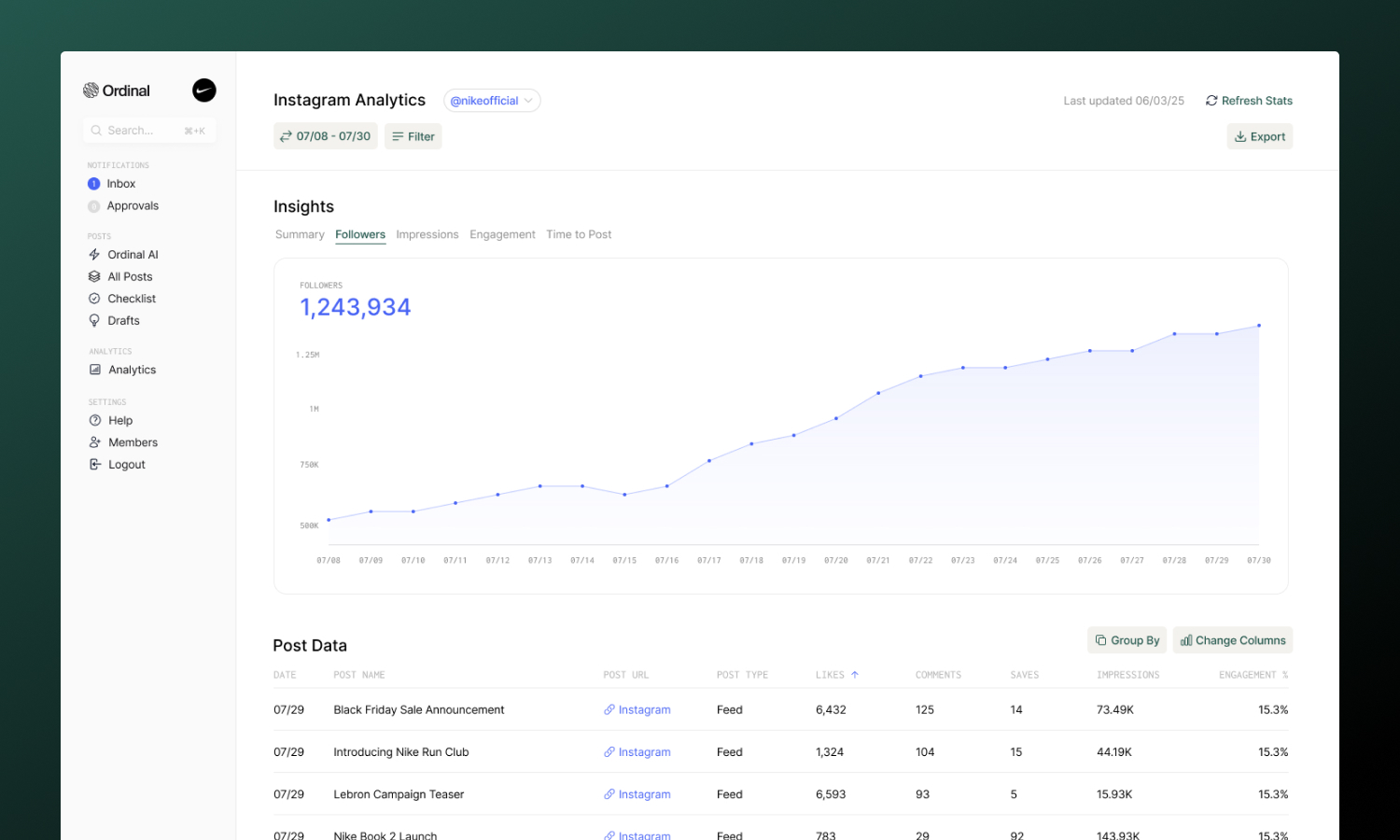
Analytics Overview
When you open Analytics from the sidebar, you land on the Analytics Overview page - a rollup view of performance across all your connected accounts. This is where you can see aggregate metrics like total impressions, engagement, and reach for each platform across your entire workspace.
For example, if you have three LinkedIn accounts connected, you’ll see combined totals (total impressions across all LinkedIn accounts) plus a summary card for each individual account.
Click on any account card or See More to dive into that account’s detailed analytics.
You can also switch to Clicks Overview to track click performance for links shortened with Ordinal’s link shortener. See Shortlinks for the full guide.
Account-Level Analytics
Click into any account from the Overview to see detailed analytics for that specific profile. Each account page includes:
- Account selector - Switch between any connected profile on that channel, or select All Accounts to see combined performance (see Viewing all accounts on a channel)
- Summary stats - Aggregate metrics for the selected date range with comparison to the previous period
- Charts and graphs - Visual trends showing performance over time
- Post table - Every post with its performance metrics, sortable by any column
- Filters - Narrow down by date range, post type, labels, or campaign
- Export - Download your data as a CSV for external analysis or client reporting
- Earned Media Value - See the dollar value of your organic reach based on configurable CPM
- Refresh Stats - Manually refresh analytics data on-demand (once per hour)
Viewing all accounts on a channel
If your workspace has more than one profile connected to the same channel, the account selector at the top of the LinkedIn, Twitter/X, Instagram, and Facebook analytics pages includes an All Accounts (N) option. Select it to combine every profile on that channel into a single view.
The aggregate view rolls up:
- Summary metrics and previous-period comparisons across all connected profiles
- Top performers and the post table, with a new Account column so you can tell which profile each post belongs to
- Format and label breakdowns
- CSV exports, which include the account attribution column
- Filter options (post types, labels, campaigns), merged across every profile
A few things stay account-scoped even in the aggregate view:
- The Refresh Stats action - refresh runs against a single profile, so switch to that account to trigger it
- The Followers and History tabs - these show per-profile trends and are hidden when All Accounts is selected
Refreshing Stats
Analytics data syncs automatically each day, but you can manually refresh stats at any time using the Refresh Stats button on any account analytics page. This is useful when you want to see the latest performance data for recent posts.
- Click Refresh Stats in the top-right corner of any analytics page
- Stats can be refreshed once per hour per account
- The button shows when you last refreshed and how long until you can refresh again
Earned Media Value (EMV)
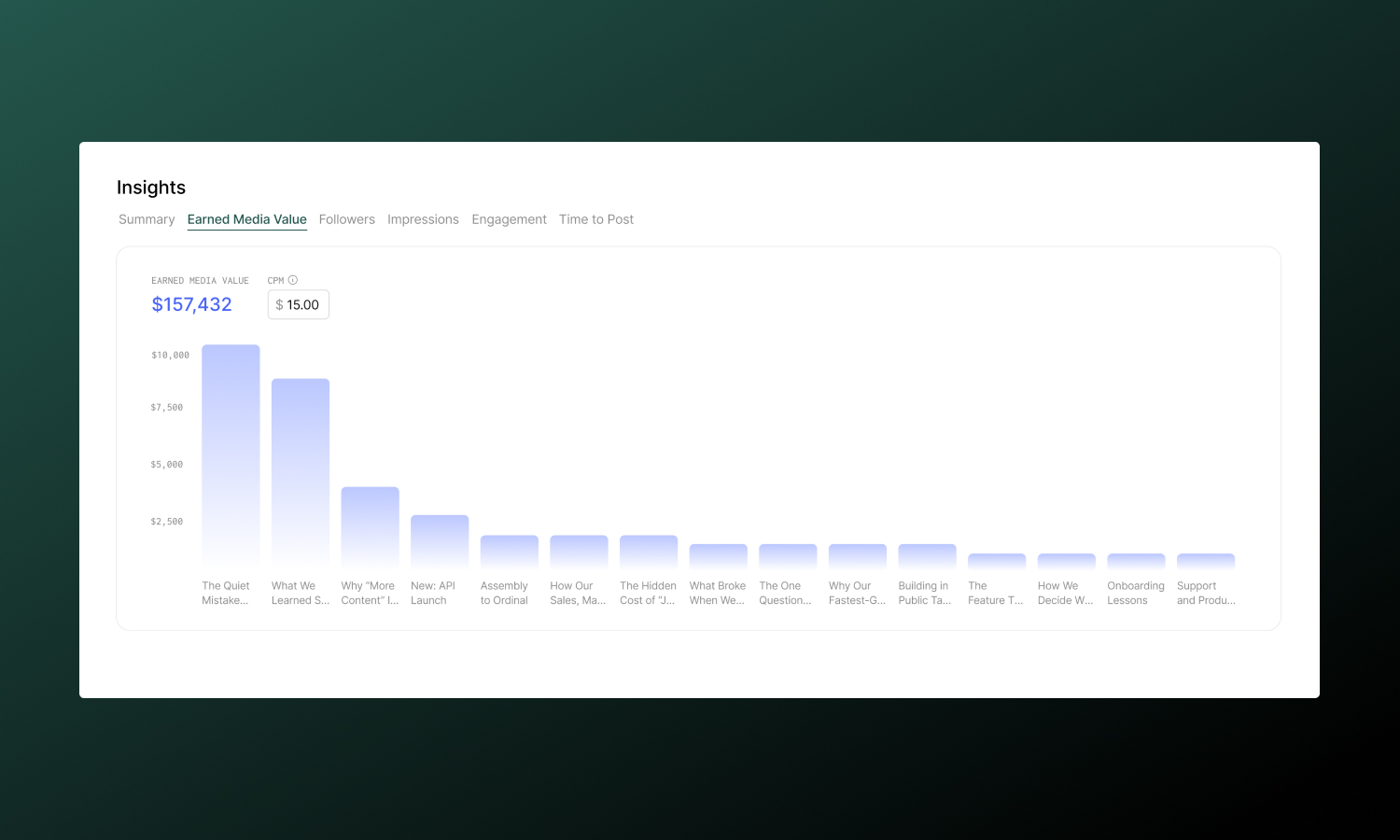
Earned Media Value helps you understand the monetary value of your organic social reach. EMV calculates what you would have paid in advertising to achieve the same number of impressions.
How it works
EMV is calculated using this formula:
EMV = (Impressions / 1,000) × CPMWhere CPM (Cost Per Mille) is the amount you’d pay for 1,000 ad impressions on that platform.
Configuring CPM
Each channel has its own CPM setting that you can customize based on your industry benchmarks or actual ad costs:
- Go to any account’s analytics page
- Click the Earned Media Value tab
- Adjust the CPM input to match your target rate
CPM values are saved per channel on the workspace-level. That means if you change the CPM for one LinkedIn account, it’ll change the calculation for all other LinkedIn accounts in the workspace.
Default values:
| Platform | Default CPM |
|---|---|
| $30 | |
| $10 | |
| $10 | |
| $10 |
Viewing EMV
EMV appears in two places:
- EMV tab - A bar chart showing EMV by post, with total EMV for the selected date range
- EMV column - In the post table, showing individual post EMV values (sortable)
EMV is also included when you export analytics to CSV.
Filtering
Filters help you slice your analytics to answer specific questions. All account analytics pages support:
| Filter | What it does |
|---|---|
| Date range | Focus on a specific time period (presets like “Last 7 days”, “Last 30 days”, or custom ranges) |
| Post type | Filter by content format - Text, Image, Video, Carousel, Reel, etc. |
| Labels | See how your custom labels perform (e.g., “Product updates” vs. “Industry news”) |
| Campaign | View only posts from a specific campaign |
Exporting Data
Every account analytics page includes an Export button that downloads your current view as a CSV file. The export respects your active filters and date range, so you can create focused reports for clients or stakeholders.
Plan Limitations
| Plan | Analytics history |
|---|---|
| Starter | Last 14 days |
| Pro and above | All time |
If you’re on a Starter plan and need historical data, upgrade to Pro for unlimited analytics history.
LinkedIn is one of the most comprehensive analytics integrations in Ordinal, with support for both personal profiles and company pages. Analytics refresh automatically each day.
Charts and tabs
Every LinkedIn account analytics page includes these chart tabs:
| Tab | What it shows | Availability |
|---|---|---|
| Summary | Top posts and breakdowns by label and format | All profiles |
| Earned Media Value | Bar chart of EMV by post | All profiles |
| Followers | Daily follower change or cumulative growth over the selected range | Profiles with follower history |
| Impressions | Daily account-level impressions from LinkedIn | Personal profiles only |
| Engagement | Daily engagement rate driven by your published posts | All profiles |
The Impressions tab reflects account-wide impressions reported by LinkedIn for the profile, so it isn’t affected by post type, label, or campaign filters. The Engagement tab is post-driven, so it does respect those filters.
Compare to the previous period
The Followers, Impressions, and Engagement charts include a Show previous period toggle. Turn it on to overlay the immediately preceding equal-length period on the same chart:
- The current period stays dominant in blue.
- The previous period renders as a light-gray dotted line.
- Hover any date to see both the current and previous values side by side in the tooltip.
The comparison is off by default. If there’s no data for the previous period (for example, when you connected the profile recently), the toggle stays visible but disabled.
Metrics
| Metric | What it measures |
|---|---|
| Impressions | How many times your post was displayed in feeds |
| Likes | Total reactions (includes all reaction types) |
| Comments | Number of comments on your post |
| Shares | Times your post was shared or reposted |
| Clicks | Link clicks (for posts containing links) |
| Saves | Times your post was saved to view later (personal profiles only) |
| Sends | Times your post was sent via DM (personal profiles only) |
| Link Clicks | Total clicks on any links in the post (personal profiles only) |
| Premium CTA Clicks | Engagements with a Premium custom call-to-action button on the post (personal profiles only) |
| Followers Gained | New followers attributed to the post (personal profiles only) |
| Profile Views | Profile views attributed to the post (personal profiles only) |
| Engagement Rate | (Likes + Comments + Shares + Clicks) / Impressions |
| Video Views | Total views on a video post |
| Video Viewers | Unique viewers of a video post |
| Watch Time | Total time spent watching a video post, formatted as a duration (e.g. 9m 16s, 1h 30m) |
The Video Views, Video Viewers, and Watch Time columns are sortable and can be toggled from the column visibility menu. When you export to CSV, watch time is exported as raw seconds under video_watch_time_seconds (alongside video_views and video_viewers) so you can run your own calculations without parsing formatted strings.
The Link Clicks, Premium CTA Clicks, Followers Gained, and Profile Views columns are also sortable and toggleable, and are included in CSV exports as link_clicks, premium_cta_clicks, followers_from_content, and profile_views_from_content. These columns only appear on analytics for personal LinkedIn profiles - LinkedIn doesn’t expose equivalent metrics for company pages, so they’re hidden for company page analytics.
Post Types
Filter by content format to see what’s working:
- Text - Text-only posts
- Image - Single image posts
- Multi-Image - Carousel-style image posts
- Video - Video posts
- Document - PDF carousel posts
- Link - Posts with link previews
Twitter / X
Full analytics for all your tweets, including individual tweets within threads.
Metrics
| Metric | What it measures |
|---|---|
| Impressions | How many times your tweet was seen in feeds |
| Likes | Total likes on your tweet |
| Comments | Replies to your tweet |
| Retweets | Times your tweet was retweeted |
| Quote Tweets | Times your tweet was quote-tweeted |
| Bookmarks | Times your tweet was saved to bookmarks |
| Engagement Rate | (Likes + Comments + Retweets + Bookmarks) / Impressions |
Post Types
Filter by content format to understand what resonates:
- Text - Text-only tweets
- Image - Single image tweets
- Multi-Image - Tweets with multiple images
- Video - Video tweets
- GIF - Tweets with GIFs
Analytics for Feed posts, Reels, and Carousels published through Ordinal.
Metrics
| Metric | What it measures |
|---|---|
| Impressions | How many times your post was displayed |
| Likes | Total likes on your post |
| Comments | Number of comments |
| Shares | Times your post was shared via DM or to Stories |
| Saves | Times your post was saved to a collection (strong signal!) |
| Engagement Rate | (Likes + Comments + Shares + Saves) / Impressions |
Post Types
Filter to compare how different formats perform:
- Image - Single image feed posts
- Carousel - Multi-image carousel posts
- Reel - Video Reels
Analytics for Facebook Page posts and Reels.
Metrics
| Metric | What it measures |
|---|---|
| Impressions | How many times your post was displayed |
| Reactions | Total reactions (likes, loves, etc.) |
| Comments | Number of comments |
| Shares | Times your post was shared |
| Engagement Rate | (Reactions + Comments + Shares) / Impressions |
Post Types
Filter by content format:
- Photo - Single image posts
- Video - Video posts
- Reel - Facebook Reels
- Link - Posts with link previews
Coming Soon
Webflow, Slack, and Discord do not have analytics (these are CMS and messaging platforms without engagement metrics).