

Shortlinks
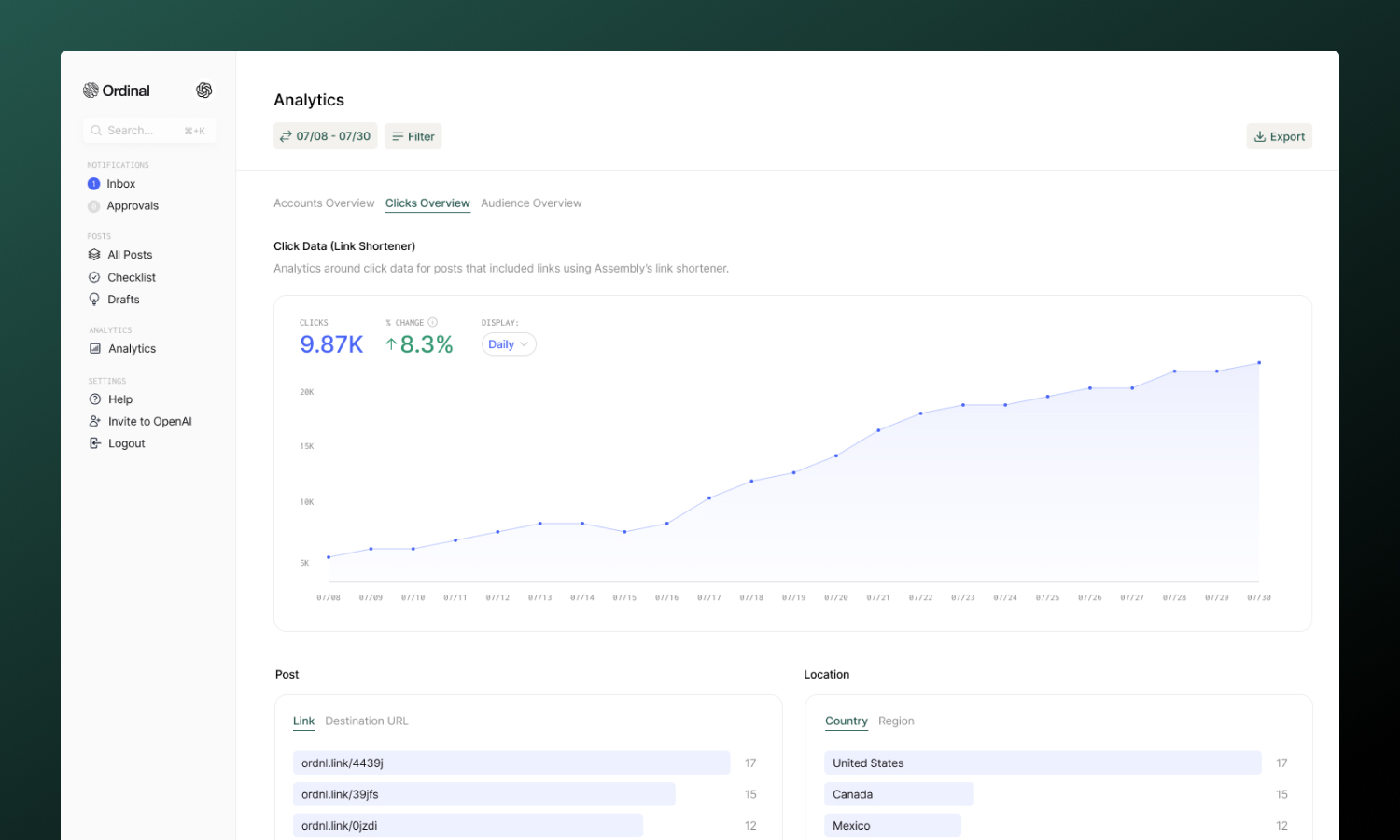
Shorten links inside the post editor and track clicks by destination, country, referrer, device, and browser.
Shortlinks let you track clicks on the links you share in your posts. Instead of posting a long URL, you can shorten it with one click - and Ordinal will automatically track how many people clicked, where they came from, and what devices they used.
Creating shortlinks
Shortlinks are created right inside the post editor - no need to leave your draft or visit a separate page. They work out of the box with Ordinal’s default domain (ordnl.link).
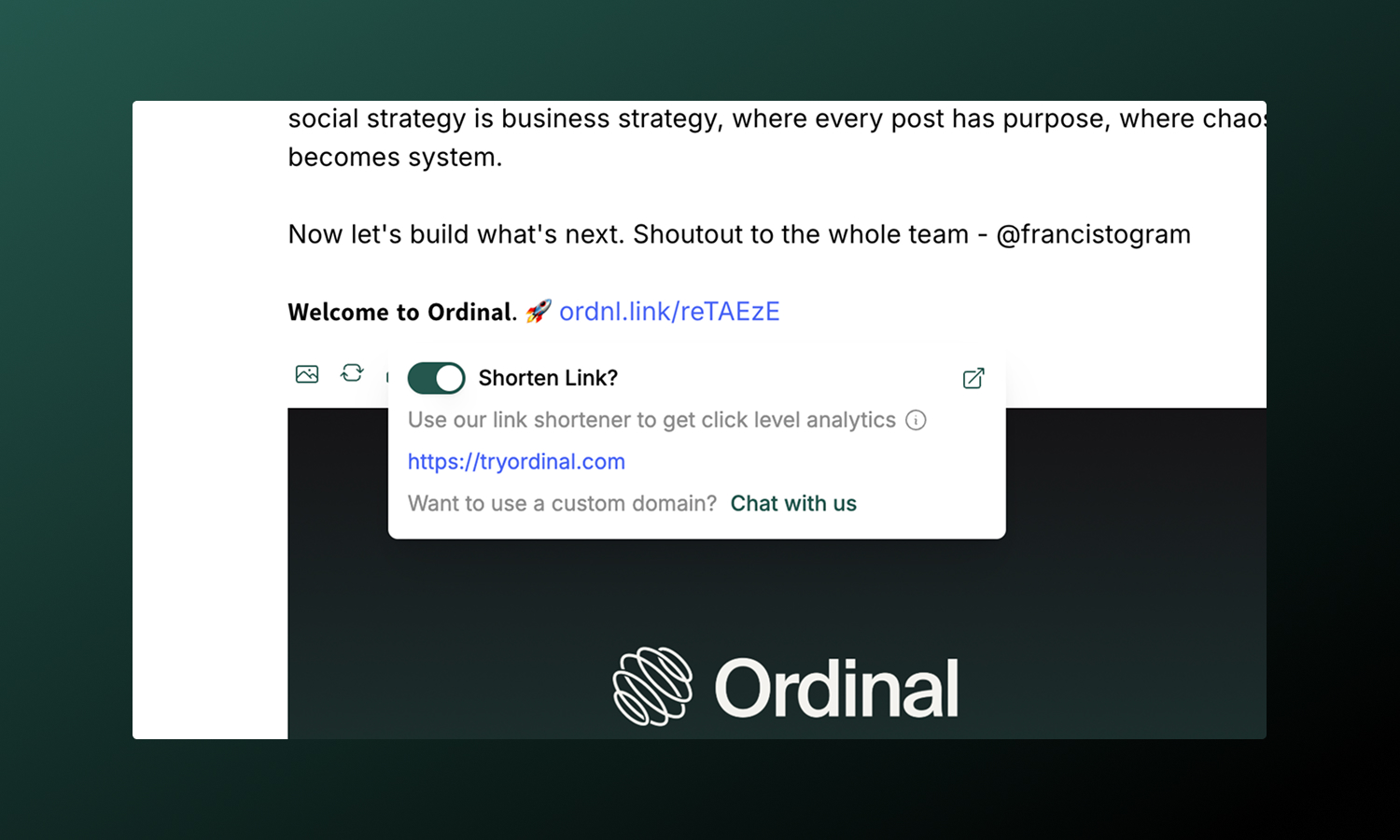
To shorten a link:
- Add a link to your post (paste a URL or use
Cmd/Ctrl + Kto insert one) - Click on the link in the editor
- In the popover that appears, toggle Shorten Link? on
- The URL is replaced with a tracked shortlink automatically
The shortened link will look something like ordnl.link/abc123. When your post publishes, every click on that link is tracked. Shortlinks will also retain the same Open Graph image and title as the original URL.
Custom domains
By default, shortlinks use ordnl.link. If you’d prefer a branded domain like go.yourcompany.com, you can connect your Dub account.
Dub Integration
Set up a custom domain for your shortlinks.
Click analytics
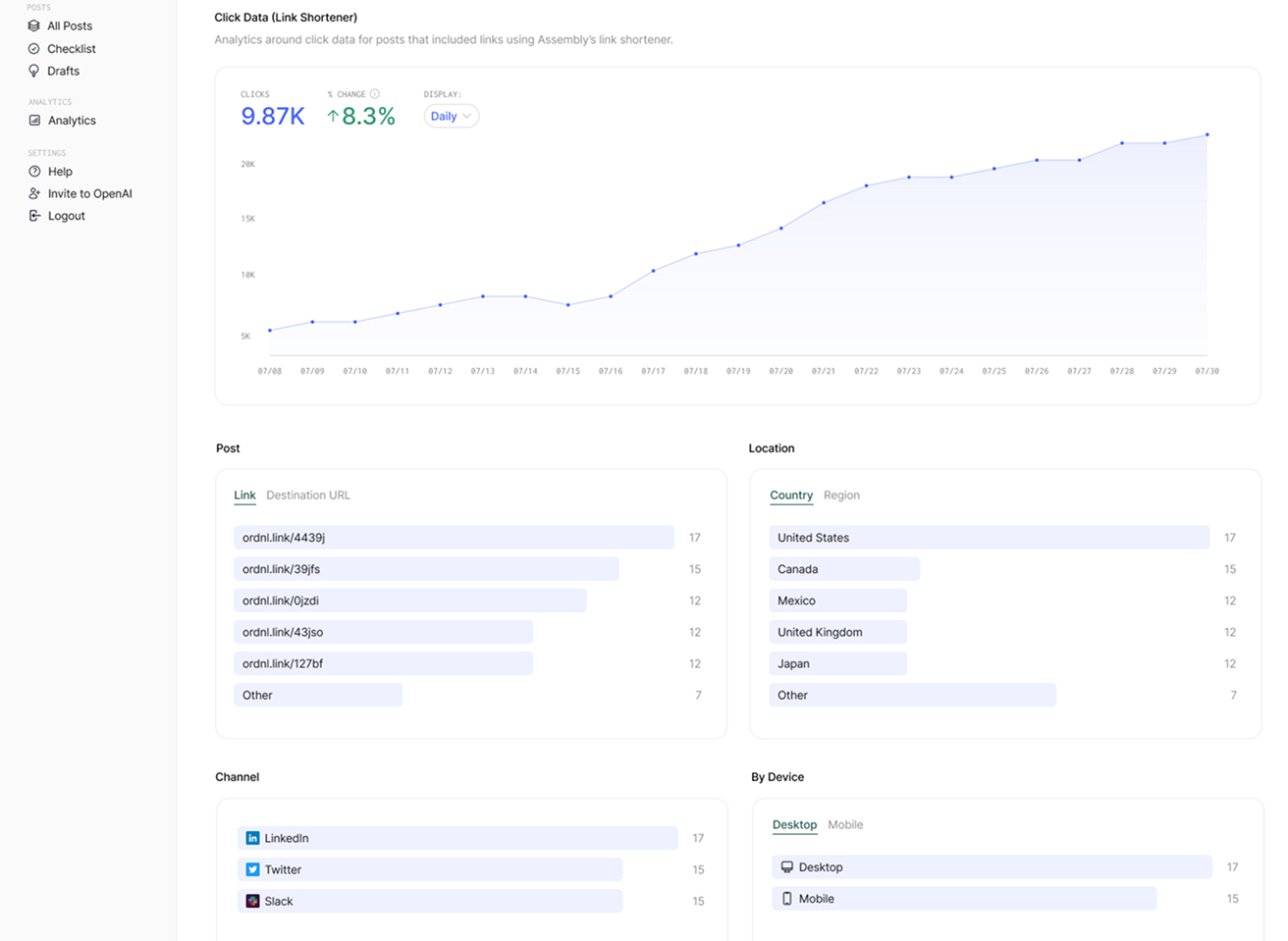
Once your post publishes and people start clicking, you can view detailed analytics in the Analytics section of Ordinal. Click data appears under the Clicks Overview tab.
Available metrics
| Metric | What it shows |
|---|---|
| Total clicks | Overall click count across all your shortlinks, displayed as a timeseries chart |
| Clicks by link | Which shortlinks received the most clicks |
| Clicks by destination URL | Which destination URLs received the most traffic |
| Countries | Geographic breakdown of where clicks originated |
| Regions | More granular location data within countries |
| Referrers | Where the traffic came from (social platform, direct, other websites) |
| Devices | Mobile vs. desktop breakdown |
| Browsers | Chrome, Safari, Firefox, etc. |
| Operating systems | Windows, macOS, iOS, Android, etc. |
Use the date range filter to zoom in on specific time periods - helpful for measuring campaign performance or comparing week-over-week trends.