

Statuses
Track posts through workflow statuses like To Do, In Progress, For Review, Finalized, Scheduled, and Posted.
Every post has a status that tracks where it is in your workflow - from early draft through publication. Statuses help you and your team see what’s in progress, what’s ready, and what needs attention.
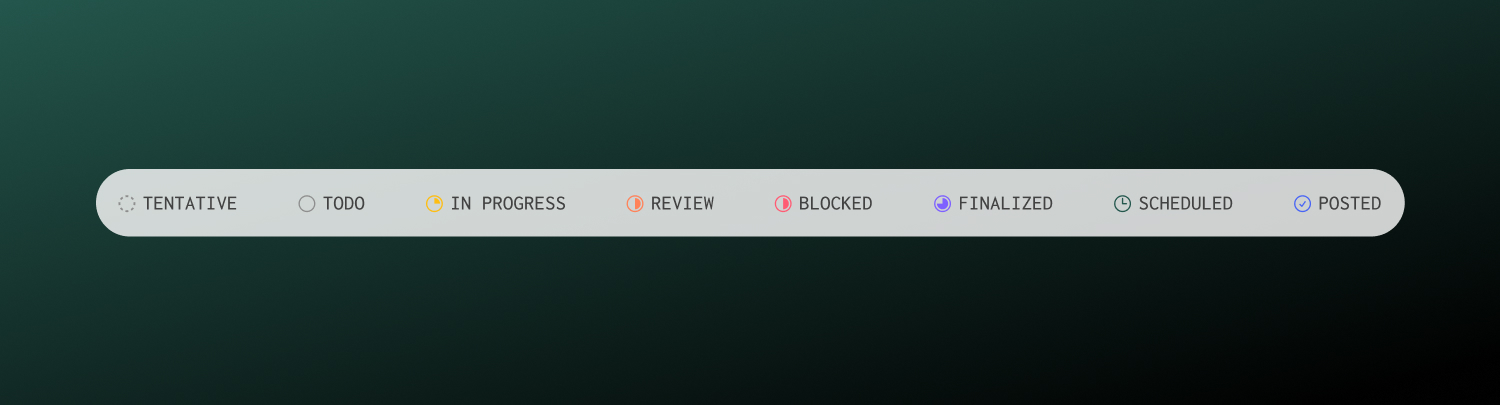
Workflow statuses
Posts can move through these statuses as you work on them. Change status anytime from the post sidebar.
| Status | Purpose |
|---|---|
| Tentative | Initial placeholder or rough idea |
| To Do | Ready to start working on |
| In Progress | Currently being drafted or refined |
| For Review | Awaiting feedback from teammates |
| Blocked | Stuck - waiting on assets, approvals, or input |
| Finalized | Content is complete and ready to schedule |
| Scheduled | Has a publish date and time set |
| Posted | Successfully published and live |
Publishing states
When a scheduled post’s publish time arrives, Ordinal sends content to each platform. Each channel has its own publishing state:
| State | What it means |
|---|---|
| Scheduled | Queued to publish at the set time |
| Posted | Successfully published to the platform |
| Errored | Publishing failed - requires attention |
For cross-posts, each platform publishes independently. One channel can succeed while another fails.
| Platform | State |
|---|---|
| ✅ Posted | |
| Twitter/X | ✅ Posted |
| ❌ Errored |
View per-channel status in the post detail view. Retry failed channels individually without affecting successful ones.
Handling errored posts
When a post fails to publish, you’ll see an error message explaining the cause. Common issues:
Account disconnected
The social profile’s authorization expired. Go to Settings → Profiles, find the account, and click Reconnect.
Content too long
Your text exceeds the platform’s character limit. Edit the post to shorten it, then retry.
Media too large
File size exceeds platform limits. Compress the image/video or use a smaller file.
Content rejected
The platform flagged the content. Review their guidelines and adjust accordingly.
Platform error
Temporary platform outage. Wait a few minutes and retry.
The easiest way to fix this is to duplicate the post, fix the issue, and schedule the new post just for the failing channels.
Approvals and scheduling
If your workspace uses approvals, posts may require sign-off before they can be scheduled. With blocking approvals enabled, the Schedule button stays disabled until approval is granted.
Approvals
Learn more about approval workflows.