

Campaigns
Group related posts into a campaign for product launches, events, content series, or seasonal promotions.
Campaigns group related posts around a theme, launch, event, or marketing initiative. They provide a unified view of all content in an initiative, help teams stay aligned, and let you track performance across posts.
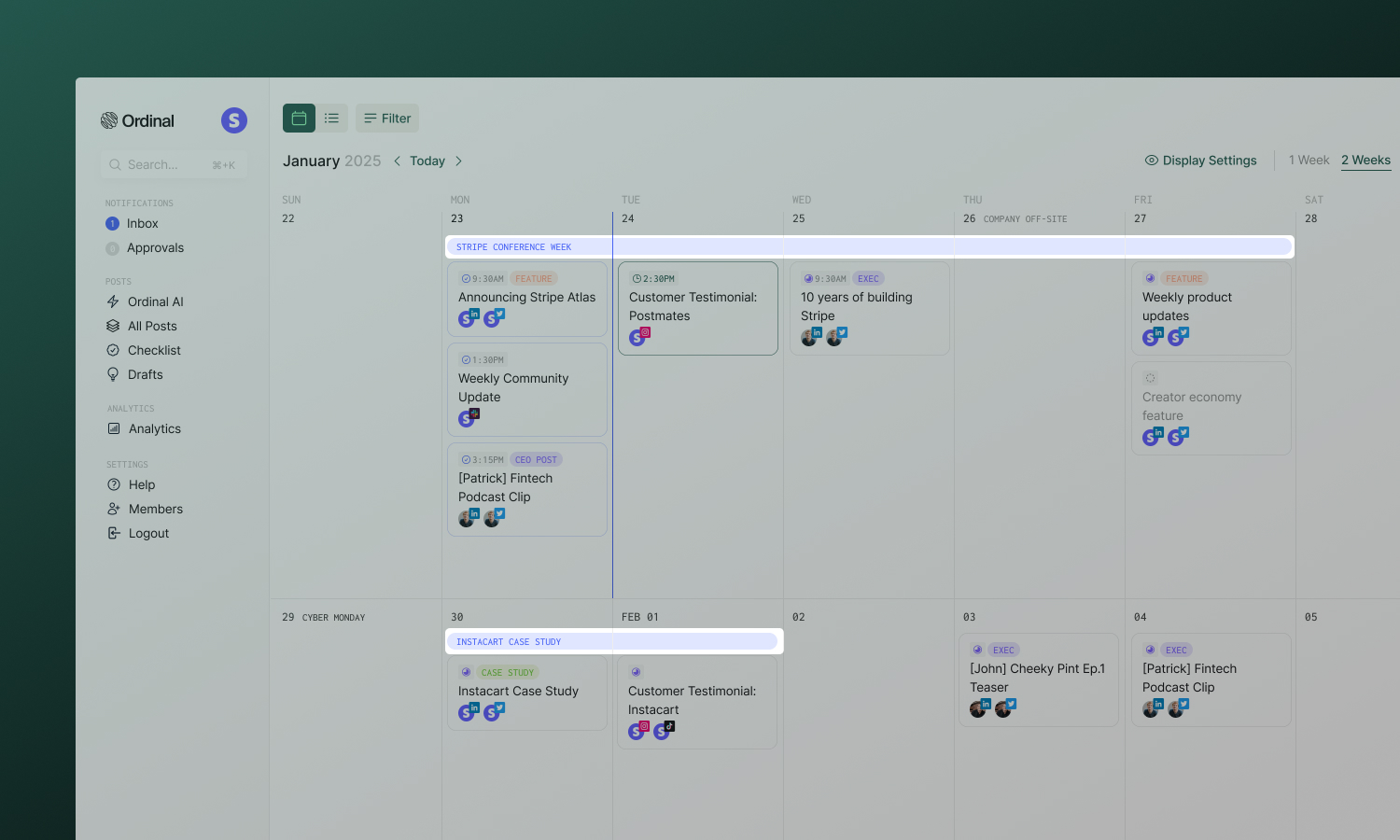
What campaigns are for
- Product launches - Coordinate announcements across all platforms with unified timing
- Events - Build momentum before, during, and after conferences, webinars, or launches
- Content series - Organize multi-part educational or storytelling content
- Seasonal promotions - Plan holiday and seasonal marketing pushes
Campaigns add structure without constraining how you work. A post can exist without a campaign, and campaigns can have any number of posts.
Creating a campaign
You can create campaigns in multiple ways:
- Keyboard Shortcut - Enter the keyboard shortcut
Cfrom the Calendar view. - Calendar - Click the + button in the top-righthand corner and select “Create Campaign”
Enter a name and date range, then click Create. You can add posts immediately or build out your campaign brief first.
The campaign page
Open a campaign to see its dedicated workspace:
The main view for planning and organizing:
- Campaign brief - A text editor for overview, key messaging, goals/KPIs, target audience, and notes.
- Attachments - Upload assets, brand guidelines, or reference materials directly to the campaign.
- Post list - All posts and ideas in the campaign with status indicators.
A focused calendar view showing only this campaign’s posts. Useful for visualizing timing and spotting gaps in your schedule.
Quick access to campaign settings:
- Dates - Adjust start and end dates
- Labels - Categorize by product, team, or goal
- Approvals - Request sign-off from stakeholders
Adding posts
Select a campaign from the Campaign dropdown in any post’s sidebar - works for new posts, existing posts, and even ideas. To remove a post from a campaign, just clear the selection. The post remains in your workspace, just unlinked.
Collaboration
Approvals
Request approval on an entire campaign before executing. Approvers can review the brief, attached assets, and planned posts before signing off.
Comments & Activity
Every campaign has a threaded comment section and activity feed at the bottom of the page. Use comments to discuss strategy, leave feedback, or tag teammates with @mentions. The activity feed tracks all changes - posts added, dates changed, approvals granted.
Sharing externally
Share a campaign with clients or stakeholders who don’t have Ordinal accounts:
- Click the Share icon on the campaign page
- Toggle Share public access on
- Copy the link
External viewers can see the campaign brief and optionally the posts within it (toggle Share posts separately). They cannot edit anything.
Analytics
Campaigns don’t have a separate analytics page. Instead, filter by campaign in the main Analytics section to see aggregate performance across all posts in the campaign.
Analytics
Track performance and filter by campaign.
Deleting campaigns
Delete a campaign from the campaign header menu. You’ll choose what happens to the posts:
- Keep posts - Posts remain in your workspace, just unlinked from the campaign
- Delete posts - Posts are permanently removed along with the campaign