

Ideas
Capture content ideas in your backlog. Move them to the calendar when you're ready to schedule.
Ideas are your content backlog - a place to capture inspiration before you’re ready to schedule. Build a library of concepts, develop them over time, and move them to the calendar when ready.
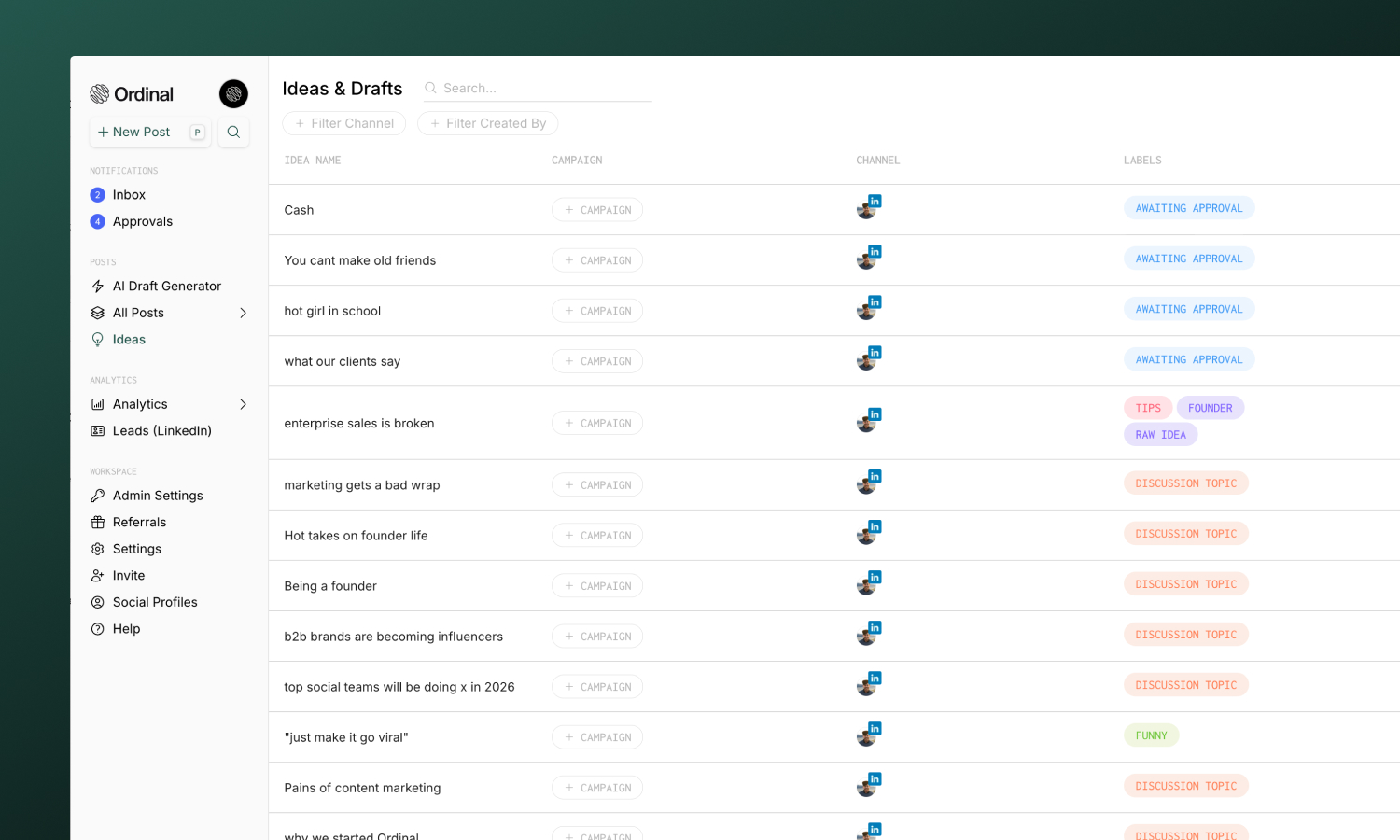
Creating ideas
- Go to Ideas in the sidebar
- Click on the
+button or use the keyboard shortcutito create a new idea - Select a channel and write your content
Ideas support the same editor and features as posts - formatting, media, comments, and collaboration all work the same way.
Moving ideas to calendar
When you’re ready to schedule an idea:
- Open the idea from your backlog
- Click Add to Calendar. This will automatically move your idea to the Calendar for today’s date.
- Make any edits and schedule the post.
Tracking approval status
The Ideas & Drafts table shows approval progress for every idea, so you can see which drafts are cleared to schedule without opening each one.
The Approvers column shows:
- A dash when no approval has been requested
- A pill with approved vs. total reviewers (for example,
1/3) when approvals are in progress. The pill turns yellow when a blocking approval is still pending. - Hover over the pill to see each reviewer and their status
Use the Approval filter in the toolbar to narrow the list:
| Option | Shows |
|---|---|
| None | Ideas with no approval requests |
| Pending | Ideas with at least one outstanding request |
| Approved | Ideas where every reviewer has approved |
Learn more about requesting and reviewing approvals in Approvals.
Moving posts to ideas
Move a post on your Calendar back to your ideas backlog:
- Open the post
- Click the Status in the sidebar
- Select Idea and confirm
- The post moves back to the Ideas tab and no longer displays in the Calendar view