

Overview
The post page is where you draft, format, schedule, and collaborate on social content.
The post page is your workspace for creating, drafting, and managing social content. Everything you need - from writing and formatting to scheduling and collaboration - lives in one place.
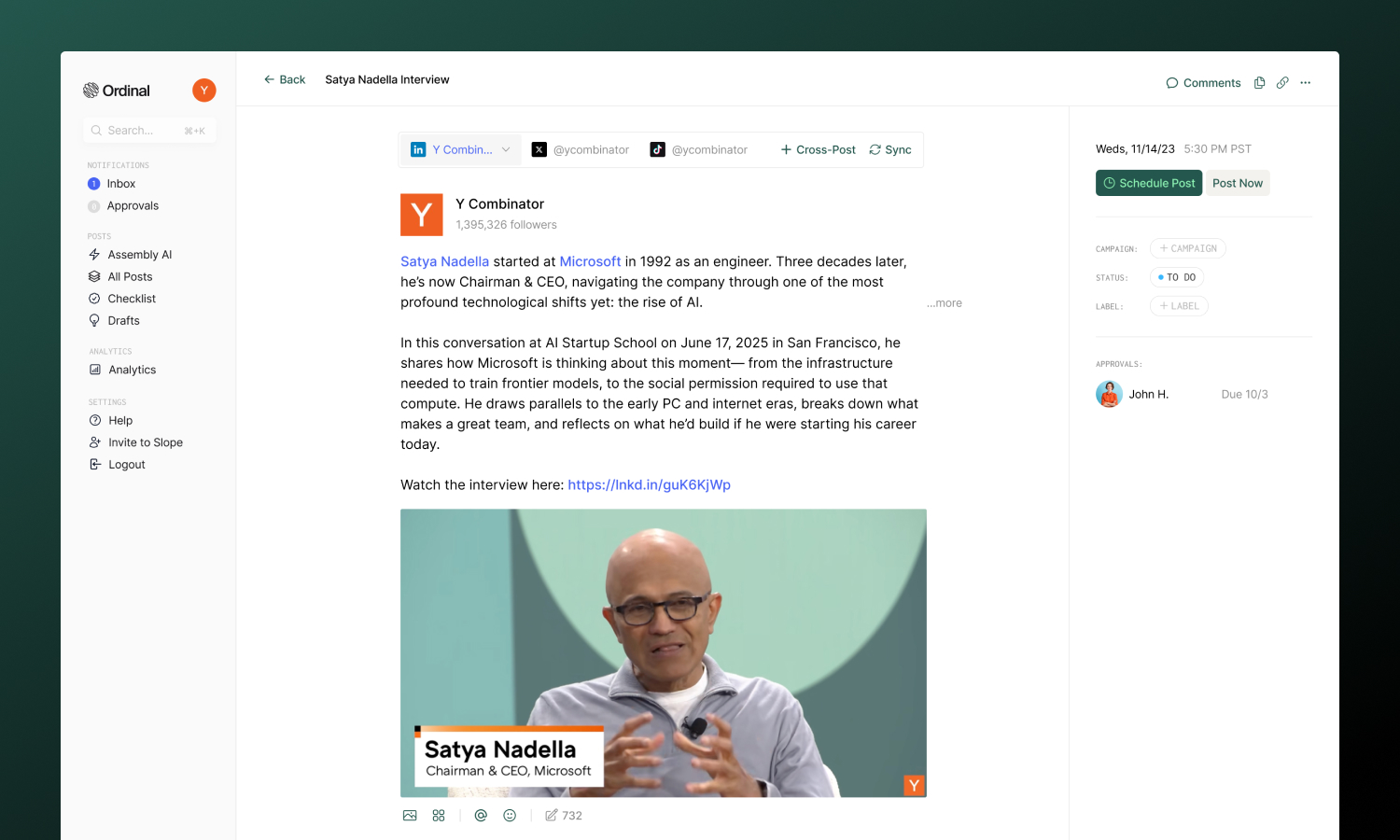
Post page anatomy
Creating Posts
Start a new post from the calendar, keyboard shortcut, or idea.
Drafting
Write content with formatting, mentions, and live previews.
Media
Add images, videos, and documents to your posts.
Scheduling
Set publish times and manage your content calendar.
Cross-Posting
Publish to multiple platforms from a single post.
Statuses
Track where posts are in your workflow.
Labels
Organize posts by topic, content type, or priority.
Campaigns
Group posts around launches and initiatives.
Approvals
Add review gates before publishing.
Comments
Leave feedback directly on posts.
Team Engagements
Coordinate likes, comments, and reposts from your team.
Slack Boost
Notify your team when posts publish.
AI Writing
Get help writing and refining content.
Post Defaults
Pre-fill common settings for new posts.
Version History
View, compare, and restore previous versions.
Notes
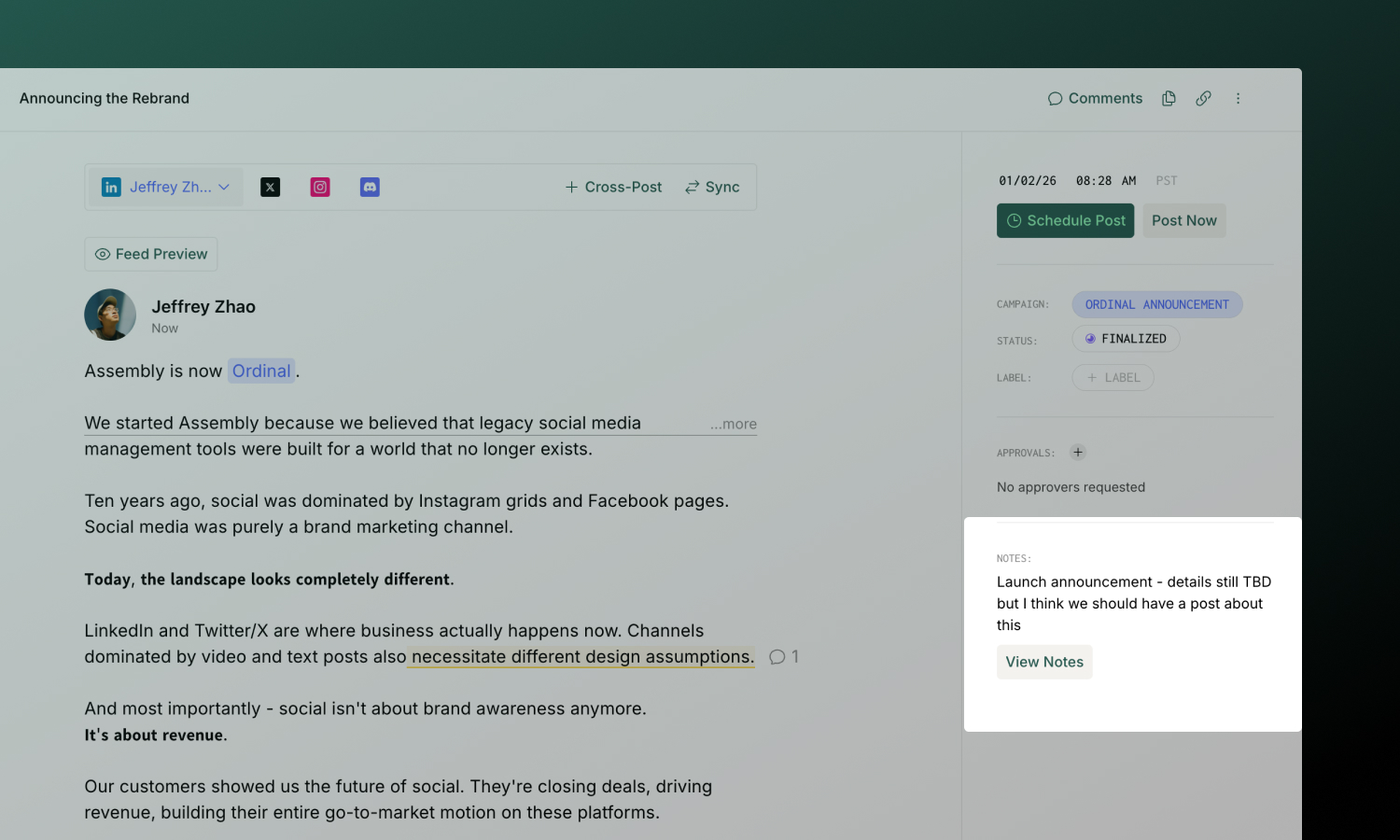
Every post has a Notes section in the sidebar for internal context that doesn’t appear in the published content. Use it for:
- Creative briefs and guidelines
- Links to reference materials or assets
- Internal instructions for your team
Click View Notes in the sidebar to open the full rich text editor. Notes support formatting, links, and task lists.
Subscribers
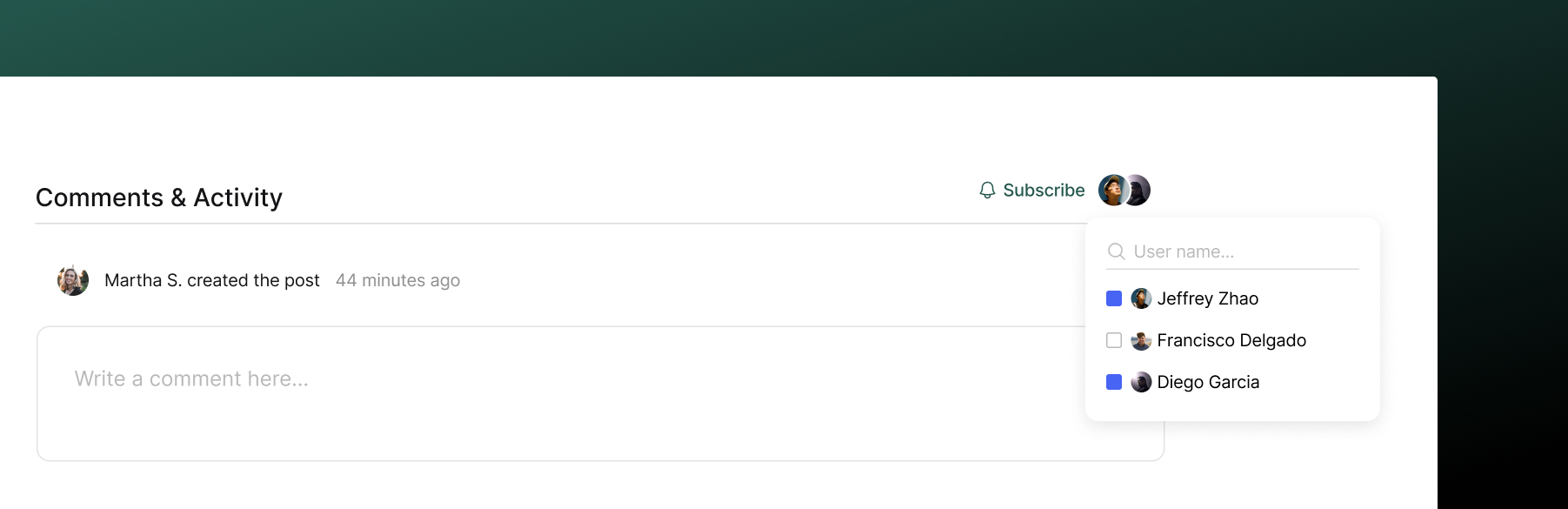
Subscribers receive notifications about a post’s activity - comments, status changes, approvals, and more.
You’re automatically subscribed when you:
- Create the post
- Comment on it
- Are @mentioned
- Are assigned as an approver
To manually subscribe or unsubscribe: Click the Subscribe or Unsubscribe button in the sidebar. You can also add other team members by clicking the subscriber avatars and selecting from your workspace.
Activity
At the bottom of every post, you’ll find the Activity section - a chronological timeline showing everything that’s happened:
- Status changes
- Comments added
- Approvals requested and completed
- Edits and updates
This gives you a complete history of the post from creation to publication.
Public sharing
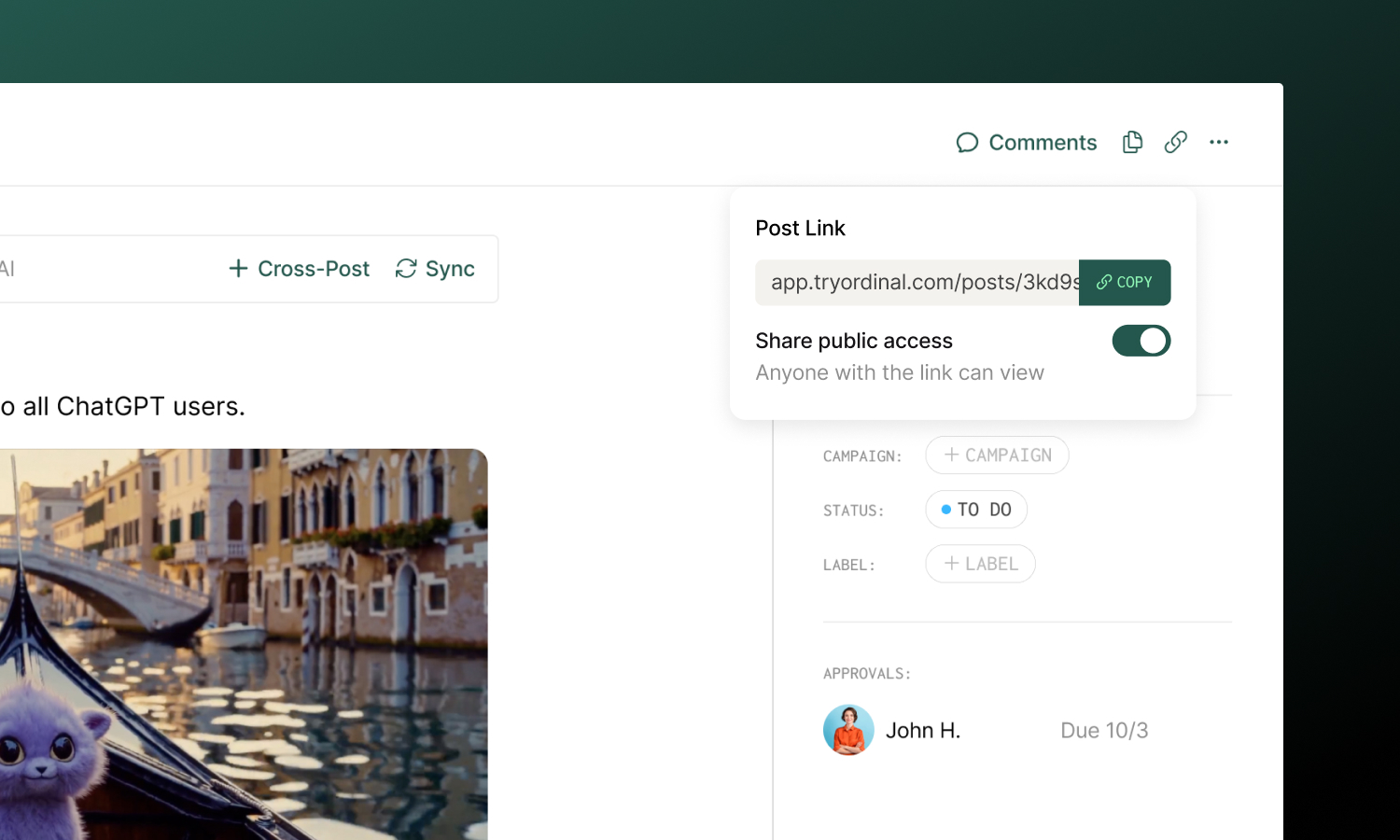
Need to share a post with someone outside your workspace? You can make any post publicly viewable.
- Click the link icon in the post header
- Toggle Share public access on
- Copy the link and share it
Anyone with the link can view the post (read-only) - no login required. Toggle the setting off to revoke access.
Duplicating posts
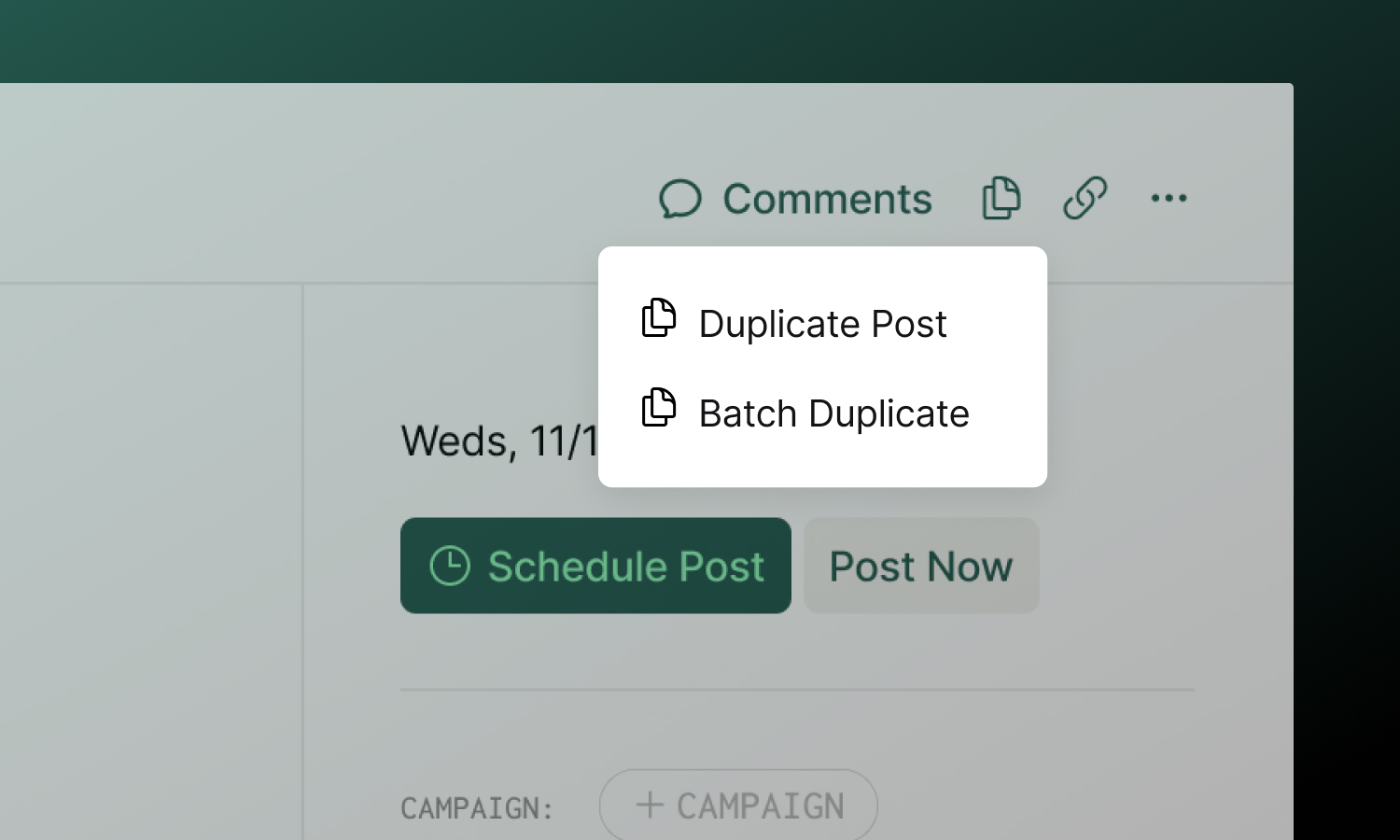
Duplicate creates a single copy of a post, including its content, media, labels, and settings. Find it in the duplicate menu (icon in the header).
Batch Duplicate creates a recurring series of posts - useful for recurring content like weekly newsletters or monthly updates:
- Click the duplicate icon → Batch Duplicate
- Set a start date for the first duplicate
- Choose the frequency (every X days, weeks, or months)
- Select how many occurrences to create (up to 10)
All duplicates inherit the original’s content and settings. You can edit each one individually after creation.
Archiving and Trash
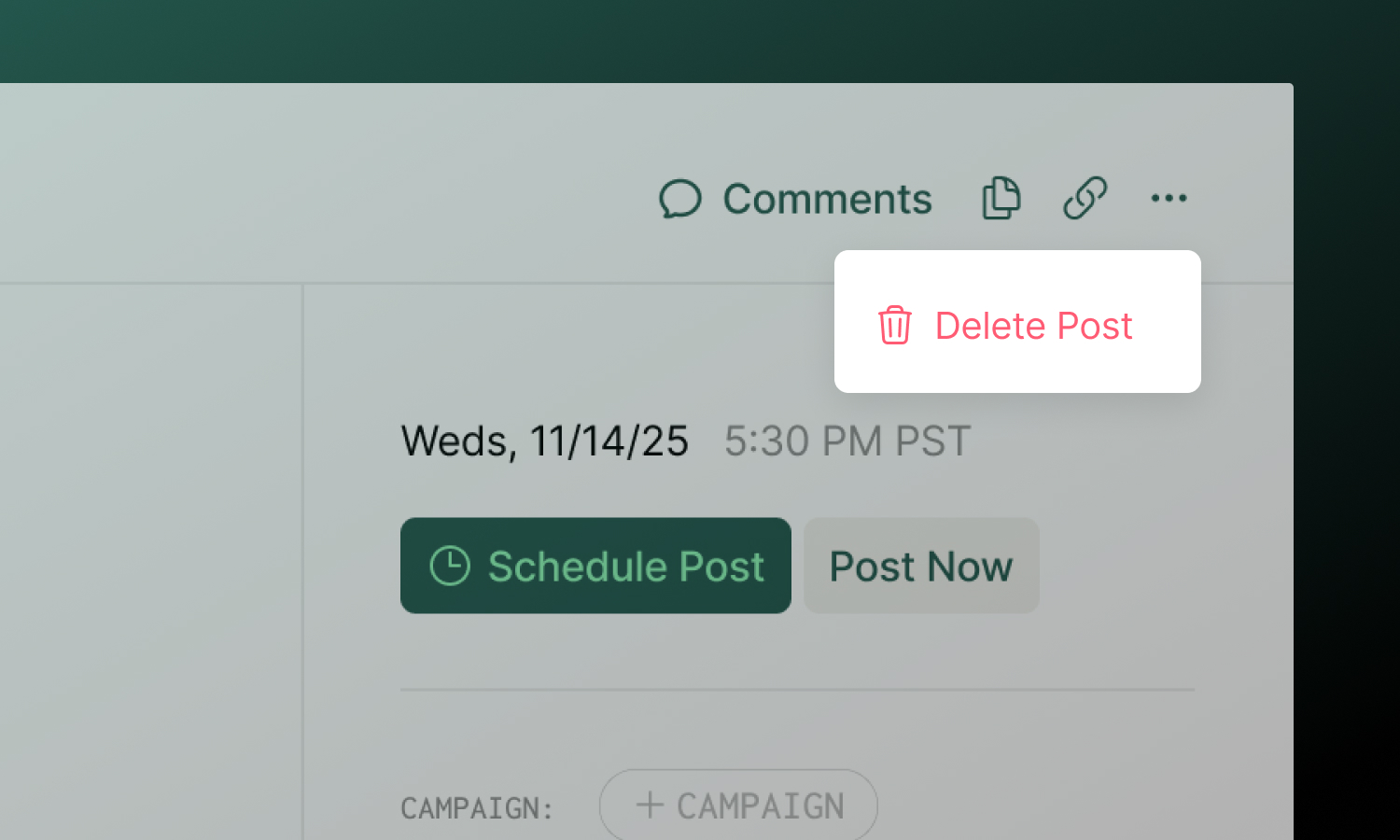
To archive a post, click the … menu in the header and select Delete. The post is moved to Trash and will be permanently deleted after 30 days. You can restore it anytime before then from the Trash page.
To restore an archived post: Open the post from Trash and click Restore in the alert banner, or use the Trash page to manage archived posts.
To permanently delete immediately: From an archived post, click Delete Immediately in the alert banner. This action cannot be undone.