

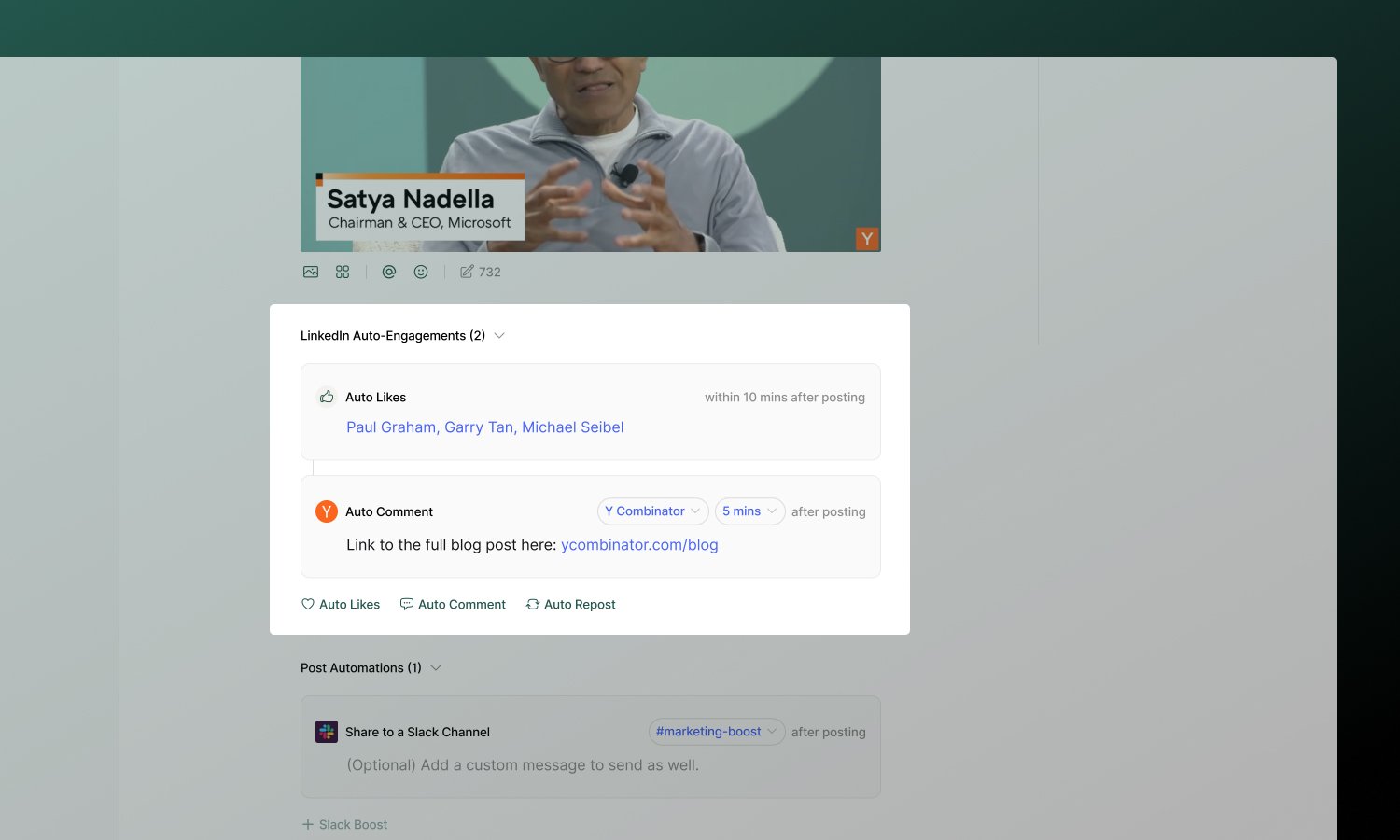
Plan availability: Starter workspaces can only add team engagements from the same account as the posting account. Pro workspaces can use any connected account for team engagements.
Engagement types
Platform support
Not all platforms support every engagement type due to API limitations:
For platform-specific details, see each channel’s documentation.
X (Twitter) eligibility
Because of X API restrictions, only certain accounts can comment or repost on a tweet:- The posting account is always eligible.
- Any other connected X account must be @mentioned in the text of the first tweet to be eligible.
@handle to the first tweet to unlock it. This rule is enforced everywhere engagements are configured, including the post editor, the public API, and MCP tools.
Only text
@mentions count. Tagging an account in an image or video does not make it eligible.Setting up team engagements
- Open a post and scroll to the Team Engagements section.
- Select the engagement type(s) you want to add (Like, Comment, or Repost).
- Select which connected account(s) should take the action.
- For comments and reposts, write the content.
- Set a delay for each engagement using the delay input (see Timing).
- After the post publishes, team members can complete the selected engagement actions from their connected profiles.
Team engagements are configured per post, so set them up before the post publishes.
Timing
Every engagement uses a delay you set in the numeric delay input. Enter a number, then choose mins or hr for the unit. The input also suggests common presets and a Recently used list of delays you’ve recently saved in this workspace, making it easier to coordinate when team members engage.- Team Likes — the value sets the window in which team members can like the post after it publishes. Minimum is 10 minutes.
- Team Comment and Team Repost — the value sets how long after publishing team members can add the comment or repost. Minimum is 0 (immediate).
Team engagements must be added before the post is published. Adding team engagements after a post has already been published from Ordinal will not work.
Best practices
- Use responsibly - A few strategic engagements complement genuine activity. Don’t overdo it.
- Vary your patterns - Avoid identical timing or comments on every post.
- Add value with comments - Generic “Great post!” comments don’t help. Add context, a question, or a useful link.
Learn more
Slack Boost
Notify your team to engage manually.
Social Profiles
Connect scheduling and engagement profiles.