> ## Documentation Index
> Fetch the complete documentation index at: https://docs.tryordinal.com/llms.txt
> Use this file to discover all available pages before exploring further.
# YouTube Shorts
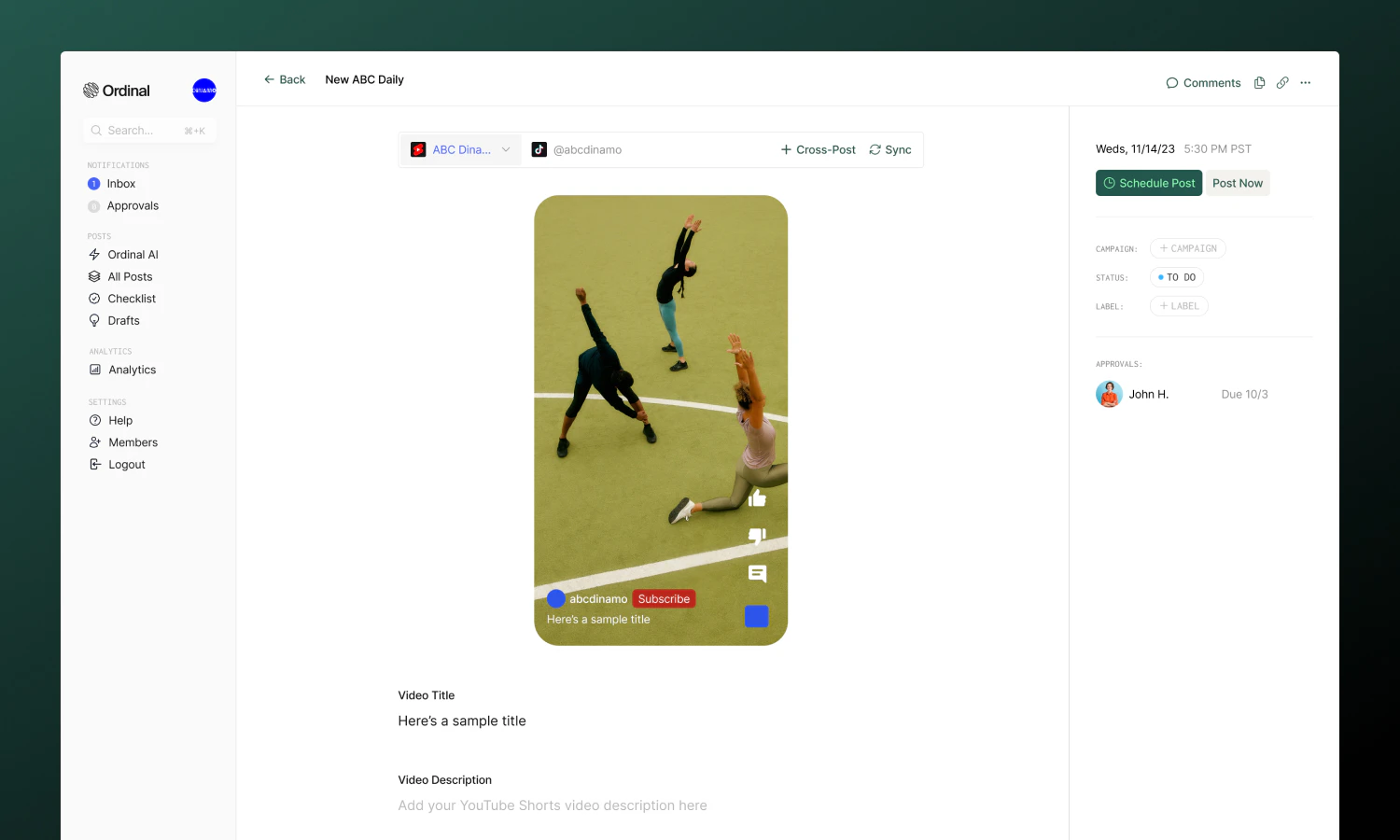
> Schedule YouTube Shorts (vertical, under 3 minutes) with titles, descriptions, categories, and visibility settings. Long-form videos aren't supported.
YouTube Shorts tap into YouTube's massive audience with quick, vertical videos. In Ordinal, you can schedule Shorts with titles, descriptions, categories, and visibility settings - getting your content in front of billions of users.
 Ordinal only supports YouTube Shorts. Standard long-form YouTube videos (horizontal videos or videos over 3 minutes) are not currently supported.
## Overview
YouTube classifies a video as a **Short** when it's vertical (9:16 aspect ratio) and under 3 minutes. Videos that don't meet these criteria are considered standard long-form videos and won't work in Ordinal.
Your channel must be **verified** (phone verification) with no active strikes. If you manage multiple channels, you can connect each as a separate profile.
Connect your YouTube channel
Title, description, and video
Visibility, category, and more
Track video performance
## Connecting YouTube
Go to [**Settings → Profiles → Scheduling**](https://app.tryordinal.com/settings/profiles/scheduling/youtube), select YouTube, and sign in with Google. Choose your channel and authorize Ordinal.
| Requirement | Details |
| -------------- | ----------------------------------- |
| Account type | YouTube channel with Google account |
| Channel status | Verified (phone verification) |
| Standing | No active strikes or restrictions |
| Role | Channel Owner |
## Drafting a YouTube Short
### What you can post
| Feature | Supported | Notes |
| ----------------------------- | --------- | ------------------------- |
| [Shorts](#video-requirements) | ✅ | Up to 3 minutes, vertical |
| Standard videos | ❌ | Not currently supported |
| Community posts | ❌ | Not currently supported |
| Playlists | ❌ | Not currently supported |
### Title & Description
Every Short needs a title and can include an optional description:
* **Title**: Up to 100 characters. Include relevant keywords. Shorts are searchable on YouTube.
* **Description**: Up to 5,000 characters. Add hashtags, links, and calls to action.
Including `#Shorts` in your title or description helps YouTube categorize your video correctly, though it's not strictly required for videos that meet the format specs.
Full guide to formatting, mentions, slash commands, and keyboard shortcuts.
### Video Requirements
| Spec | Limit |
| ------------ | ------------------------ |
| Formats | MP4, MOV |
| Duration | Up to 3 minutes |
| Aspect ratio | 9:16 (vertical required) |
| Resolution | 1080×1920 recommended |
| File size | 500MB maximum |
Vertical video is required - videos must have a height greater than or equal to their width. Files over 125MB are automatically compressed before upload.
While YouTube allows Shorts up to 3 minutes, shorter videos (under 60 seconds) often perform better in the Shorts feed.
## Video Settings
Configure your Short's settings before scheduling. You'll find these options below the description editor:
* **Visibility**: Choose who can see your Short - Public (anyone on YouTube), Unlisted (only people with the link), or Private (only you)
* **Notify Subscribers**: Choose whether to notify your subscribers when the Short publishes
* **Category**: Select a category (Gaming, Music, Education, etc.) to help YouTube recommend your content
* **Embedding**: Allow or prevent others from embedding your Short on external websites
* **Made for Kids**: Mark if your content is made for children (required for COPPA compliance)
The "Made for Kids" setting affects what features are available on your video. Videos marked as made for kids won't have comments, notifications, or personalized ads.
## Analytics
Analytics are not currently available for YouTube Shorts, but are coming soon. Send us an email at [support@tryordinal.com](mailto:support@tryordinal.com) if you're interested in early access.
Learn more about tracking performance across all your connected profiles.
## Learn more
Similar short-form vertical format.
Another short-form video platform.
Ordinal only supports YouTube Shorts. Standard long-form YouTube videos (horizontal videos or videos over 3 minutes) are not currently supported.
## Overview
YouTube classifies a video as a **Short** when it's vertical (9:16 aspect ratio) and under 3 minutes. Videos that don't meet these criteria are considered standard long-form videos and won't work in Ordinal.
Your channel must be **verified** (phone verification) with no active strikes. If you manage multiple channels, you can connect each as a separate profile.
Connect your YouTube channel
Title, description, and video
Visibility, category, and more
Track video performance
## Connecting YouTube
Go to [**Settings → Profiles → Scheduling**](https://app.tryordinal.com/settings/profiles/scheduling/youtube), select YouTube, and sign in with Google. Choose your channel and authorize Ordinal.
| Requirement | Details |
| -------------- | ----------------------------------- |
| Account type | YouTube channel with Google account |
| Channel status | Verified (phone verification) |
| Standing | No active strikes or restrictions |
| Role | Channel Owner |
## Drafting a YouTube Short
### What you can post
| Feature | Supported | Notes |
| ----------------------------- | --------- | ------------------------- |
| [Shorts](#video-requirements) | ✅ | Up to 3 minutes, vertical |
| Standard videos | ❌ | Not currently supported |
| Community posts | ❌ | Not currently supported |
| Playlists | ❌ | Not currently supported |
### Title & Description
Every Short needs a title and can include an optional description:
* **Title**: Up to 100 characters. Include relevant keywords. Shorts are searchable on YouTube.
* **Description**: Up to 5,000 characters. Add hashtags, links, and calls to action.
Including `#Shorts` in your title or description helps YouTube categorize your video correctly, though it's not strictly required for videos that meet the format specs.
Full guide to formatting, mentions, slash commands, and keyboard shortcuts.
### Video Requirements
| Spec | Limit |
| ------------ | ------------------------ |
| Formats | MP4, MOV |
| Duration | Up to 3 minutes |
| Aspect ratio | 9:16 (vertical required) |
| Resolution | 1080×1920 recommended |
| File size | 500MB maximum |
Vertical video is required - videos must have a height greater than or equal to their width. Files over 125MB are automatically compressed before upload.
While YouTube allows Shorts up to 3 minutes, shorter videos (under 60 seconds) often perform better in the Shorts feed.
## Video Settings
Configure your Short's settings before scheduling. You'll find these options below the description editor:
* **Visibility**: Choose who can see your Short - Public (anyone on YouTube), Unlisted (only people with the link), or Private (only you)
* **Notify Subscribers**: Choose whether to notify your subscribers when the Short publishes
* **Category**: Select a category (Gaming, Music, Education, etc.) to help YouTube recommend your content
* **Embedding**: Allow or prevent others from embedding your Short on external websites
* **Made for Kids**: Mark if your content is made for children (required for COPPA compliance)
The "Made for Kids" setting affects what features are available on your video. Videos marked as made for kids won't have comments, notifications, or personalized ads.
## Analytics
Analytics are not currently available for YouTube Shorts, but are coming soon. Send us an email at [support@tryordinal.com](mailto:support@tryordinal.com) if you're interested in early access.
Learn more about tracking performance across all your connected profiles.
## Learn more
Similar short-form vertical format.
Another short-form video platform.