> ## Documentation Index
> Fetch the complete documentation index at: https://docs.tryordinal.com/llms.txt
> Use this file to discover all available pages before exploring further.
# Post Defaults
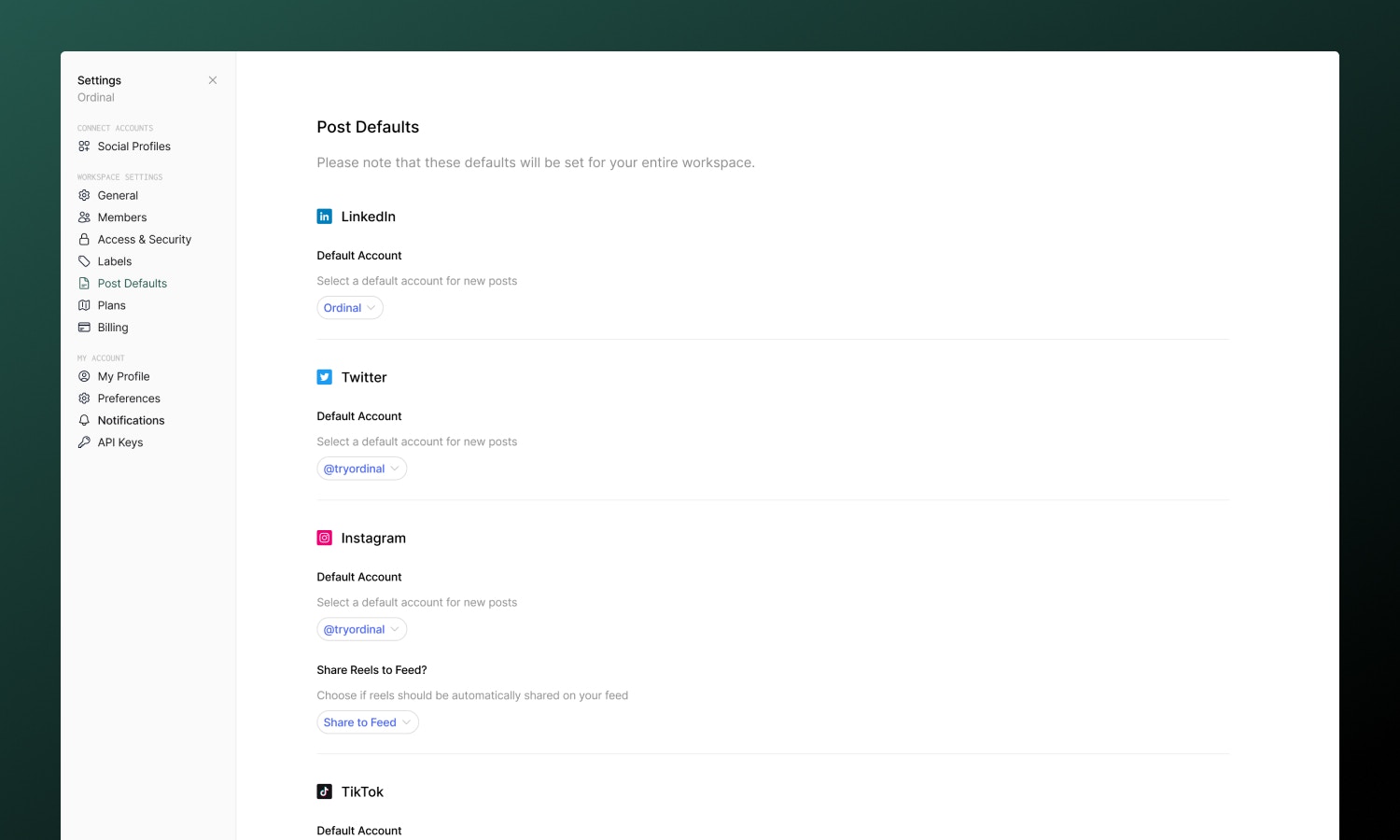
> Pre-select default accounts for each platform and set platform-specific defaults like Instagram location, Reel share-to-Feed, and YouTube notify subscribers.
Post defaults save time by pre-selecting your most common settings. When you create a new post, your preferred accounts and platform-specific options are already configured.
 ## Setting up defaults
Go to [**Settings → Post Defaults**](https://app.tryordinal.com/settings/post-defaults) to configure:
| Setting | Description |
| --------------------------- | -------------------------------------- |
| **Default accounts** | Which account to use for each platform |
| **Instagram location** | Pre-filled location tag |
| **Instagram Reel settings** | Share to Feed toggle |
| **YouTube Shorts settings** | Notify subscribers toggle |
| **Webflow preview type** | Live or Designer preview |
Changes save automatically - only connected accounts will appear as options.
Set your most-used account as the default for each platform. If you post to the same account 80% of the time, this eliminates a click on every post.
## When defaults apply
Defaults are used globally when creating new posts.
Defaults are **not** used when:
* **Duplicating a post** - Uses the original post's settings
* **Converting an idea** - Uses settings from the idea
You can always override defaults in any individual post - changes only affect that post, not your saved defaults.
## Workspace-level setting
Post defaults are configured at the workspace level. All team members share the same defaults, and anyone with settings access can modify them.
If your team members frequently post to different accounts, you may want to skip setting defaults and let each person select manually.
## Learn more
Start a new post with your defaults applied.
Connect accounts to use as defaults.
## Setting up defaults
Go to [**Settings → Post Defaults**](https://app.tryordinal.com/settings/post-defaults) to configure:
| Setting | Description |
| --------------------------- | -------------------------------------- |
| **Default accounts** | Which account to use for each platform |
| **Instagram location** | Pre-filled location tag |
| **Instagram Reel settings** | Share to Feed toggle |
| **YouTube Shorts settings** | Notify subscribers toggle |
| **Webflow preview type** | Live or Designer preview |
Changes save automatically - only connected accounts will appear as options.
Set your most-used account as the default for each platform. If you post to the same account 80% of the time, this eliminates a click on every post.
## When defaults apply
Defaults are used globally when creating new posts.
Defaults are **not** used when:
* **Duplicating a post** - Uses the original post's settings
* **Converting an idea** - Uses settings from the idea
You can always override defaults in any individual post - changes only affect that post, not your saved defaults.
## Workspace-level setting
Post defaults are configured at the workspace level. All team members share the same defaults, and anyone with settings access can modify them.
If your team members frequently post to different accounts, you may want to skip setting defaults and let each person select manually.
## Learn more
Start a new post with your defaults applied.
Connect accounts to use as defaults.