> ## Documentation Index
> Fetch the complete documentation index at: https://docs.tryordinal.com/llms.txt
> Use this file to discover all available pages before exploring further.
# Concepts
> The core concepts in Ordinal: social profiles, posts, and campaigns.
## Core Concepts
Understanding these key concepts will help you get the most out of Ordinal.
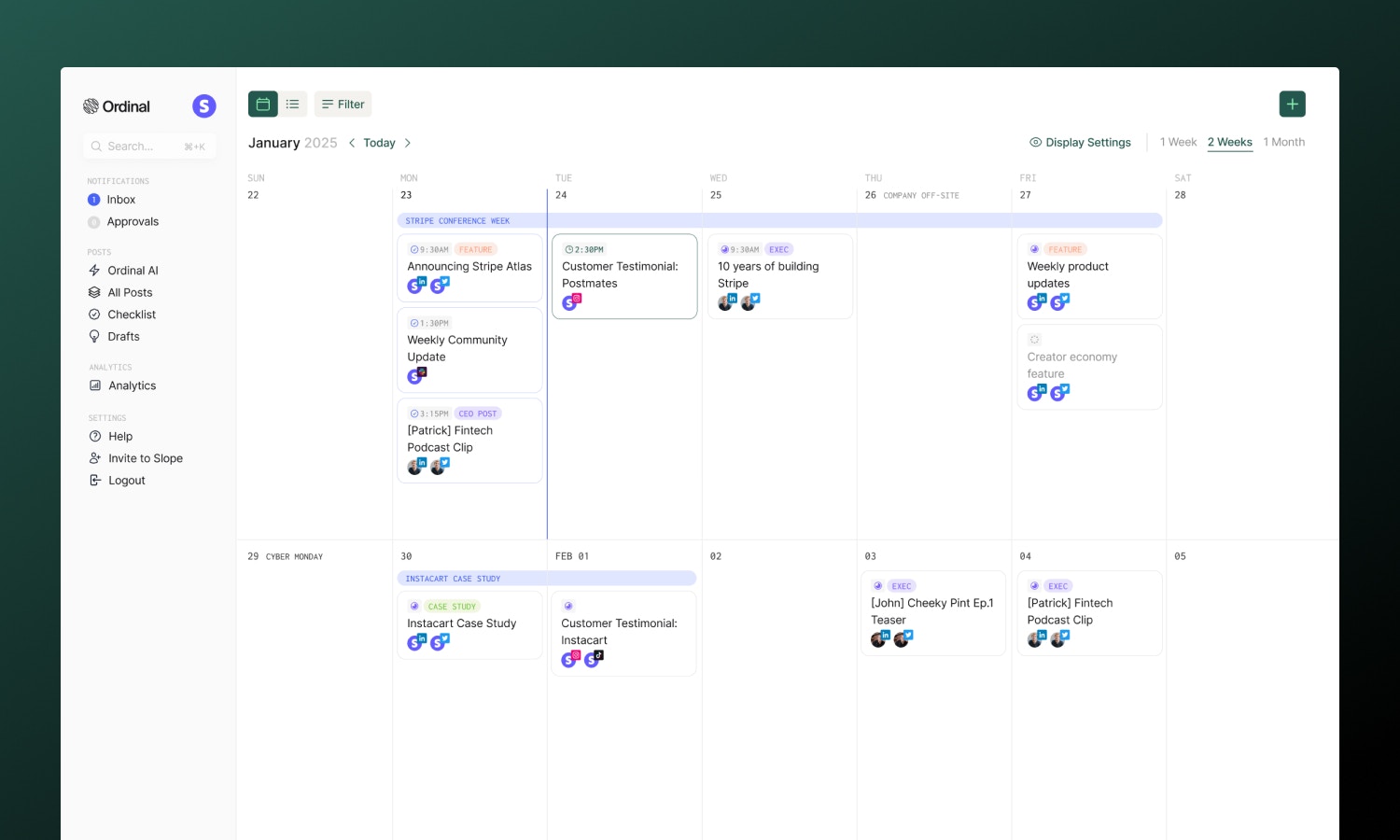 ### [Social Profiles](/social-profiles/overview)
A social profile is a connected account from any supported platform (LinkedIn, Twitter, Instagram, etc.). You can connect multiple profiles and manage them all from Ordinal.
Connect all your social accounts to manage everything from one place. Each profile appears in your sidebar for quick access.
### [Posts](/posts/overview)
Posts are the content you create and publish to your social profiles. A single post can be published to multiple profiles simultaneously, with automatic adaptation to each platform's requirements.
### [Campaigns](/campaigns/overview)
Campaigns are collections of related posts organized around a theme, product launch, or marketing initiative. They help you:
* Plan coordinated content efforts
* Track aggregate performance
* Keep related posts organized
### [Labels](/posts/labels)
Labels are tags you can apply to posts for organization and filtering. Use them to categorize content by:
* Topic (industry news, product updates, tips)
* Content type (educational, promotional)
* Priority (urgent, evergreen)
### [Approvals](/collaboration/approvals)
The approval workflow lets team members review and approve posts before they're published.
With approvals enabled, you can setup internal review processes to make sure everyone is in the loop on outgoing content before you publish.
## The Content Workflow
A typical post flows through Ordinal like this:
1. **Create** - Draft your content in the composer
2. **Review** - Submit for approval (if enabled)
3. **Schedule** - Set when to publish
4. **Publish** - Content goes live automatically
5. **Analyze** - Track performance in analytics
## Next Steps
Add your social media accounts.
Learn how to compose content.
### [Social Profiles](/social-profiles/overview)
A social profile is a connected account from any supported platform (LinkedIn, Twitter, Instagram, etc.). You can connect multiple profiles and manage them all from Ordinal.
Connect all your social accounts to manage everything from one place. Each profile appears in your sidebar for quick access.
### [Posts](/posts/overview)
Posts are the content you create and publish to your social profiles. A single post can be published to multiple profiles simultaneously, with automatic adaptation to each platform's requirements.
### [Campaigns](/campaigns/overview)
Campaigns are collections of related posts organized around a theme, product launch, or marketing initiative. They help you:
* Plan coordinated content efforts
* Track aggregate performance
* Keep related posts organized
### [Labels](/posts/labels)
Labels are tags you can apply to posts for organization and filtering. Use them to categorize content by:
* Topic (industry news, product updates, tips)
* Content type (educational, promotional)
* Priority (urgent, evergreen)
### [Approvals](/collaboration/approvals)
The approval workflow lets team members review and approve posts before they're published.
With approvals enabled, you can setup internal review processes to make sure everyone is in the loop on outgoing content before you publish.
## The Content Workflow
A typical post flows through Ordinal like this:
1. **Create** - Draft your content in the composer
2. **Review** - Submit for approval (if enabled)
3. **Schedule** - Set when to publish
4. **Publish** - Content goes live automatically
5. **Analyze** - Track performance in analytics
## Next Steps
Add your social media accounts.
Learn how to compose content.